Welcome to Sire
Sire is the world's first intent-driven workflow orchestration engine designed for the AI-native enterprise.
Sire is the world's first intent-driven workflow orchestration engine designed for the AI-native enterprise. Unlike traditional automation platforms that require complex coding or brittle drag-and-drop interfaces, Sire translates your natural language descriptions into robust, production-ready workflows.
Built on the Model Context Protocol (MCP), Sire decouples orchestration from execution, giving you the power to connect any tool, service, or AI agent into a unified, transparent system.
The Sire Difference
1. Intent to Execution
Stop building workflows step-by-step. Tell Sire what you want to achieve---"Research this market, summarize the competitors, and draft an email to the team"---and our AI generates a transparent, optimized Directed Acyclic Graph (DAG) for you to review and deploy.
2. Radical Transparency
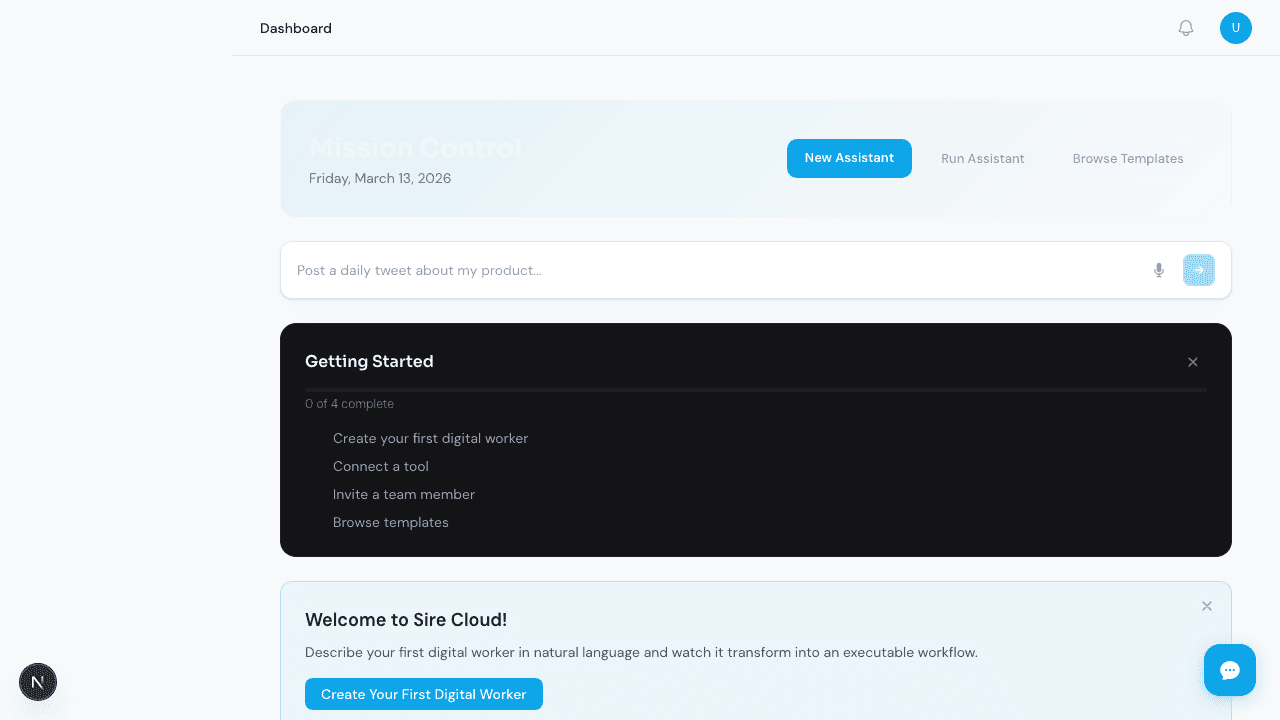
Automation shouldn't be a black box. Our Mission Control dashboard visualizes every workflow as a clear graph. You see exactly what the AI plans to do, what data is moving where, and how long each step takes---all in real-time.
3. Universal Connectivity (MCP)
Sire is built on the Model Context Protocol. This means you can plug in any tool---from local file systems and databases to cloud APIs and specialized AI agents---using a single, universal standard.
4. Enterprise-Grade Durability
Sire is built for mission-critical tasks. Every step is transactional and stateful. If a service goes down or a network fails, Sire remembers exactly where it was and can resume execution without losing progress or duplicating work.
5. AI with a Memory
Sire doesn't start from scratch every time. Our Hierarchical Semantic Memory allows your workflows to learn from past executions, recalling context and avoiding mistakes across your entire organization.
Where to Start?
- Quickstart Guide: Deploy your first mission in under 5 minutes.
- Getting Started: Learn about DAGs, Steps, and the Dispatcher.
- Connecting Your Tools: Explore the power of MCP integration.
- Security & Compliance: Understand how we keep your data isolated and safe.